

Microsoft Graph only
Reads users and groups and writes contacts through the Microsoft Graph SDK v5. It does not use EWS.
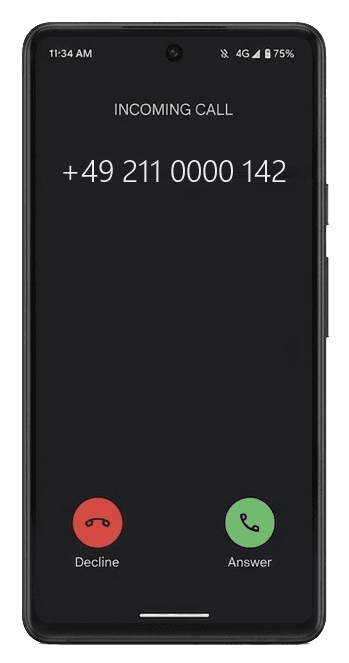
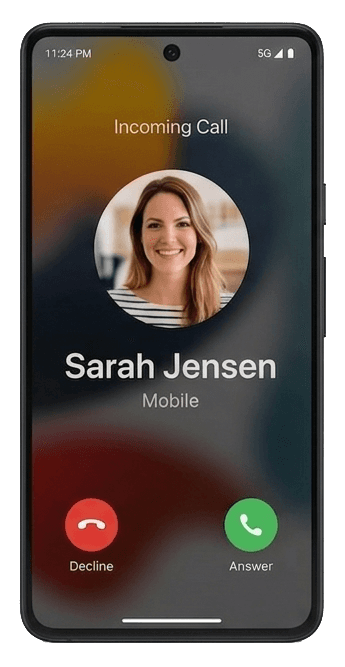
CYNC keeps a contact folder in each Exchange Online mailbox in step with Microsoft Entra ID. Outlook, iPhone and Android show each colleague with name, photo and number.
Sarah Jensen
Head of Sales
You maintain people once, in Microsoft Entra ID. CYNC carries the fields you pick into each mailbox, and the phone shows them on the next call.
Users › Sarah Jensen
Sarah Jensen
Member, [email protected]
Sarah Jensen
Head of Sales
Exclude departments or user name (UPN) patterns, skip contacts without a phone number, and leave shared mailboxes out.
Three screens of the CYNC admin app take you from the installer to the first synced contact. These are those screens.
Run the MSI on a Windows Server or workstation. Enter your Tenant ID and Client ID, generate a certificate in the app, and upload it to your Entra ID app registration. The installer works offline.
Pick which mailboxes receive contacts. Sync from Entra ID groups (members are added and removed automatically), import a CSV, or switch mailboxes on individually. New group members are picked up each cycle.
CYNC runs on a schedule. It fetches only changed users with delta queries, compares them with the existing contacts, and writes updates to up to 10 mailboxes at the same time. The WinUI 3 dashboard shows progress, sync history and logs. Failures can be sent to Teams, Slack or Telegram.
Sync History: every run with users, changes and errors.
Configuration: tenant, app registration, certificate and the fields to sync.
The service, the admin app, and how they are secured.
Reads users and groups and writes contacts through the Microsoft Graph SDK v5. It does not use EWS.

License keys are RSA-2048 signed and validated locally. Entra ID authentication uses a certificate through Azure.Identity. Keys are encrypted at rest with DPAPI.

The WinUI 3 admin app shows sync history and logs. The service writes detailed logs to files in %ProgramData%\CYNC\Logs.

WiX v5 MSI with silent install (/quiet), service registration and offline prerequisites. Upgrade by running the MSI again.
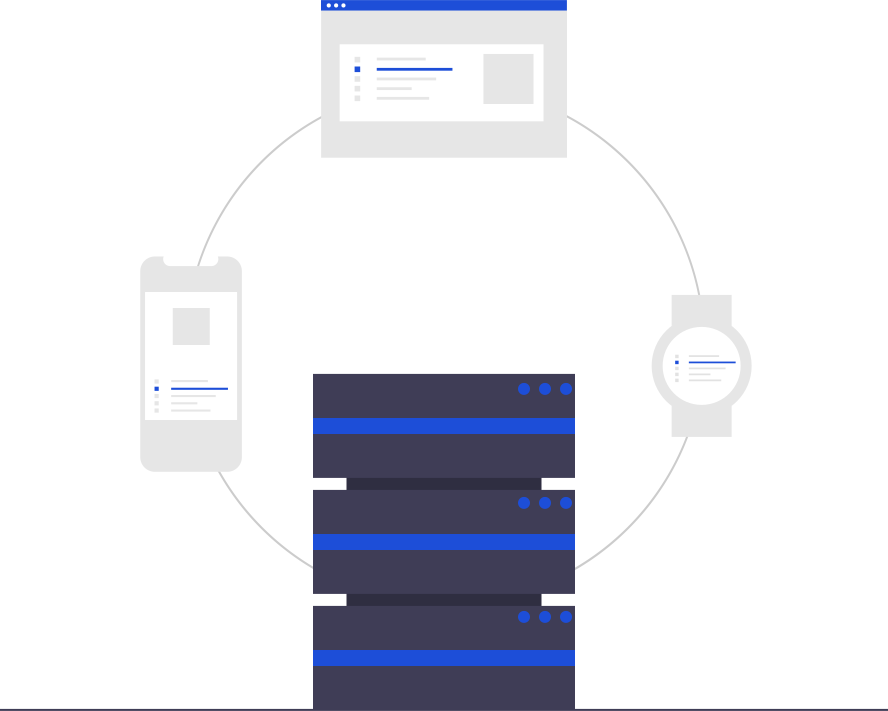
Installs on Server Core without a GUI. Administer it remotely from another machine over gRPC with TLS.

Get a Teams, Slack or Telegram message when a sync fails or only partly succeeds, before anyone notices a missing contact.

Delta queries fetch only changed users. Up to 10 mailboxes are processed in parallel with JSON batching, automatic retry and exponential backoff.
Most tenants sync contacts with scripts, and EWS-based scripts stop working when Microsoft retires EWS. Here is the difference, row by row.
Volume and annual billing bring it down to € 0.18 per user and month. Every license has every feature and email support.
More than 5,000 users? Email IT-BAER
500+licensed users
12 to 5,000 users. Up to 10 users need no license at all.
€
€
Writeups on GAL sync, the Graph API, EWS deprecation and Entra ID.
The 4 supported ways to get Entra ID users onto iPhone and Android as real contacts, ranked by cost and effort.
Read the guideA practical migration checklist for teams still running EWS-based PowerShell contact-sync scripts.
Read the guideThree realistic alternatives to CiraSync, head-to-head on price, data residency, and deployment.
Read the guideThe questions admins ask most. Anything else: [email protected]
By using CYNC, a specialized Windows Service. CYNC connects to the Microsoft Graph API, reads your Entra ID user directory, and writes those users directly into the designated Exchange Online contact folders. This solves the missing company contacts on mobile devices.
CYNC does not use EWS at all. It communicates exclusively via Microsoft Graph API (REST). EWS deprecation has no impact on CYNC.
Microsoft 365 has no built-in feature that pushes Entra ID user profiles as phone contacts. The Global Address List (GAL) is searchable inside Outlook (desktop, web, and mobile), but those directory entries never appear in the phone’s native contacts app, so there’s no caller ID and no name resolution in the dialer or messaging apps. CYNC writes real Exchange contacts into each user’s mailbox, which then sync to any device via Outlook’s “Save Contacts” feature or a Microsoft account.
Yes. CYNC is a self-hosted alternative to CiraSync. It runs on your own servers instead of a cloud service. CYNC starts at €0.29/user/month. CiraSync's price is reported at about $5/user/month, but CiraSync does not publish pricing. CYNC also has a permanent free tier.
Yes, anytime. You can cancel via the Stripe customer portal (link in the footer and your license email). Cancellation takes effect at the end of the current billing period. You keep full access until then.
Every license includes email support at [email protected].
Download CYNC, connect it to your Entra ID tenant, and see contacts appear in a mailbox. The first 10 users are free.